
CYPEX Documentation
Support
v2.0.0 Latest stable release View changelog ->

Schema Access

Schema Access decides which PostgreSQL schemas an organization may use. It is the coarsest of the three access controls in v2.0.0 and it sits above the other two: an organization that has not been granted a schema sees nothing in it, regardless of role capabilities and regardless of what the RLS policy would have allowed.

Sidebar location: Access Control → Advanced (System admin) → Schema Access. This page is System Administrator only (system admin visibility). An Organization Administrator cannot grant their own organization a schema — by design, since doing so would let a tenant widen its own boundary.
Read full post

Internal API

Data & Content → Internal API lets you explore and test the CYPEX backend’s own endpoints, rendered from its generated OpenAPI specification.

This screen is System Administrator only (system admin visibility).

Internal API vs REST API

CYPEX exposes two different HTTP surfaces. They are not interchangeable:

REST APIInternal API
What it exposesYour queries (database views), as PostgREST endpointsCYPEX platform endpoints — administration, authentication, connectors, audit
Who it is forApplications and external consumers of your dataPlatform administration
Access controlPostgreSQL grants and Row-Level SecurityBackend authorization; System Administrator only
Where the spec comes fromGenerated by PostgREST from the exposed schemaGenerated from the backend’s OpenAPI specification

If you are integrating an external system with your CYPEX data, use the REST API. The Internal API is an administration and debugging surface.

Read full post

Configuration

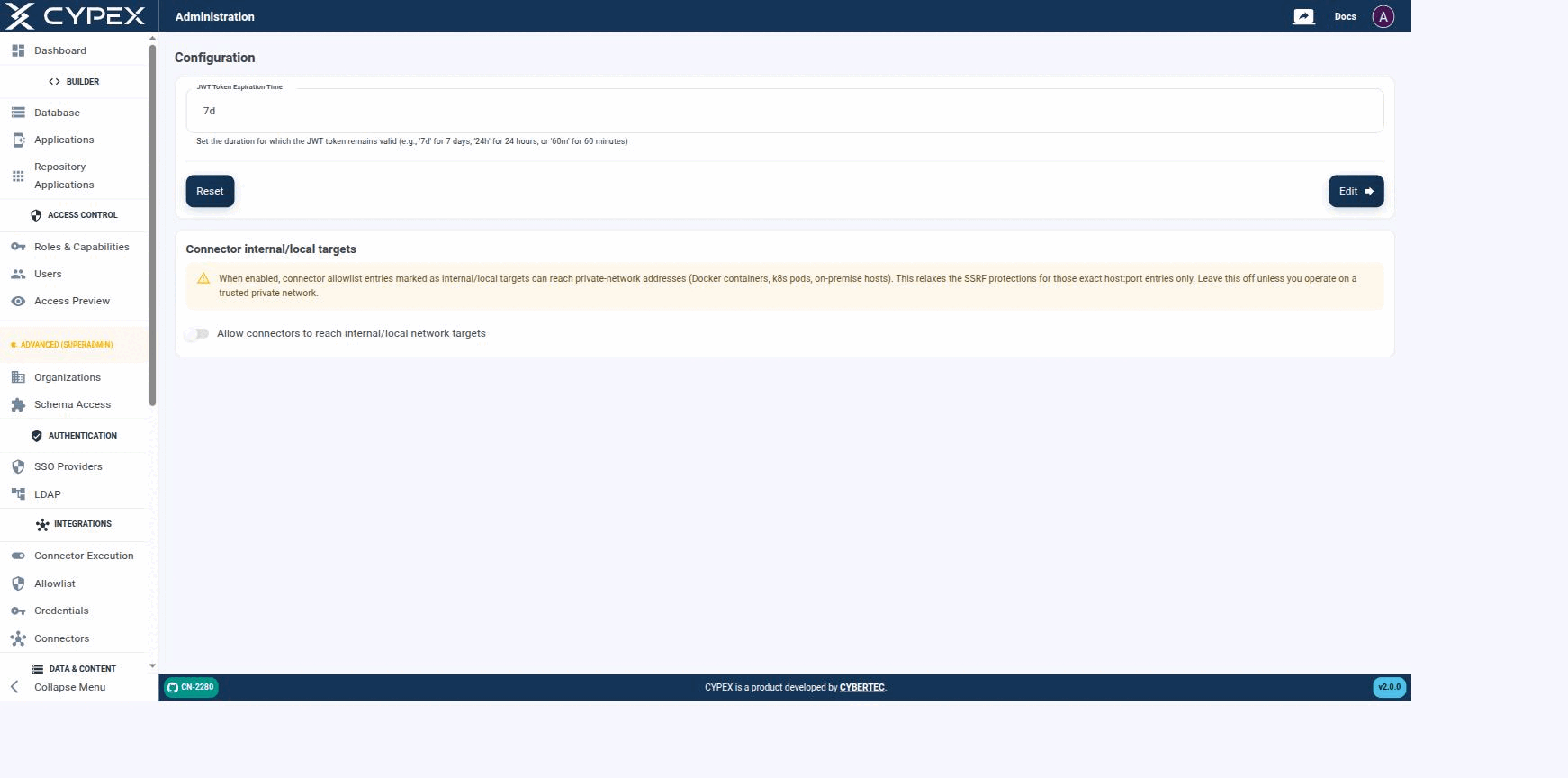
Configuration lives under Platform Admin and holds instance-level settings — these apply to the whole CYPEX deployment, not to a single organization:

Configuration

Session length and Connector internal/local targets are the two instance-wide settings exposed here.

Session length and Connector internal/local targets are the two instance-wide settings exposed here.

Session length

Sets how long a session stays valid before the user must sign in again, using a duration string — 7d for 7 days, 24h for 24 hours, or 60m for 60 minutes. Click Edit to apply the value shown in the field, or Reset to restore the previous value. It writes cypex.t_config.jwt_exp.

Read full post

Database Migrations (runner)

Platform Admin → Database Migrations is the in-app runner for CYPEX’s own framework schema migrations — the changes CYPEX applies to its internal cypex schema when the platform is upgraded.

This screen is System Administrator only (system admin visibility).

Info
This is not where you migrate your data model. Changes to your own tables are made in Database.

Relationship to the upgrade guides

The in-app runner applies migrations. It does not tell you whether it is safe to apply them, what they change, or how to verify the result — that is what the upgrade documentation is for. For v2.0.0 specifically, run the upgrade from Upgrade to v2.0.0 and treat this screen as one step inside that procedure, not a substitute for it.

Read full post

Internal Schema Browser

Platform Admin → Internal Schema Browser shows the internal cypex schema — the platform’s own metadata tables, not your application data.

This screen is System Administrator only (system admin visibility) and is intended for advanced debugging.

What it shows, and what it does not

Internal Schema BrowserDatabase
Schemacypex — platform metadataYour application schemas
ContentsThe tables CYPEX uses to store applications, modules, organizations, roles, and object definitionsThe tables, views, and workflows you design
PurposeInspecting platform state while debuggingBuilding the data model your applications render
Warning
The cypex schema is CYPEX’s own storage. Its layout is an implementation detail and changes between releases. Read it to diagnose a problem; do not build applications or integrations against it. Use Database for your own model and the REST API for programmatic access to your data.

See also

  • Database — the ER editor for your own schemas.
  • Audit — the audit history surfaced as a supported screen.
  • Administration Panel — sidebar reference and visibility levels.