The CYPEX administration panel gives operators a single place to administer and manage CYPEX as a whole. v2.0.0 reorganizes it around how operators actually set up and run a multi-tenant deployment. This section is the navigation map for that information architecture: each entry below links to a topic-scoped page documenting the corresponding admin screen.
Sidebar reference
The table below is the authoritative list of sidebar labels and who sees each one. Labels are the strings the product renders — use them verbatim in procedures.
This is the conceptual / architecture reference. For the hands-on, step-by-step walkthrough with screenshots and a real sanitised request/response, see the Setup guide. For the admin-panel GUI reference (screenshots, field-by-field), see Connectors, Connector Secrets, Connector Allowlist, and Connector Enablement.
Pages in this section
This page — the conceptual / architecture reference.
Setup guide — the hands-on E2E walkthrough: rollout, allowlist, credentials, the guided builder, publish, execute, and audit.
A Connector is a governed, server-side definition for calling a third-party REST API and mapping its response into a typed shape a CYPEX application can render — an authenticated CYPEX user’s page can show a table backed by a live external API call, next to tables backed by CYPEX’s own PostgreSQL data.
The v2.0.0 upgrade installs a default password policy by inserting a
row into cypex.t_config with key password_policy. This page documents
the policy, how to verify it on your instance, and how to override it.
This is very permissive by design. The rationale is that shipping a
working default is preferable to locking existing users out at upgrade
time. Once the upgrade is complete, administrators should review the
policy and tighten it to match their security requirements.
CYPEX may store data that requires a durable change trail. History
tracking (table auditing) records every INSERT, UPDATE, DELETE, and
TRUNCATE on a selected entity in cypex.t_history. Each entry holds before
and after JSON images, a timestamp, the PostgreSQL role that made the
change, and — when the change came through CYPEX — the CYPEX user id.
Changes made directly against the table are captured too, so no separate
application-level logging layer is required for those row events.
Under Integrations → Allowlist, the page heading is Connector
Allowlist. It is the set of hosts outbound connectors are permitted to call.
Connectors cannot reach any host that is not allowlisted — this is enforced at
runtime, not just validated at save time:
Info
Enterprise licence required. Integrations is gated on an active enterprise licence. Without one the section does not appear in the admin sidebar, regardless of the signed-in user’s role.
Under Integrations → Credentials, the page heading is Connector
Credentials. Credentials are encrypted at rest and referenced by connectors
by name — never inline. They are write-only: the plaintext value is never
shown again after saving:
Info
Enterprise licence required. Integrations is gated on an active enterprise licence. Without one the section does not appear in the admin sidebar, regardless of the signed-in user’s role.
A high level of protection must be assured of your data. We put great emphasis on security, and ensure that data is protected at all times. As part of that, our user management is based on a solid, well-tested user concept.
Understanding the CYPEX user concept
The first question we have to answer when talking about security is: “What is a user?”. Having a clear picture in mind is important to understand the big picture.
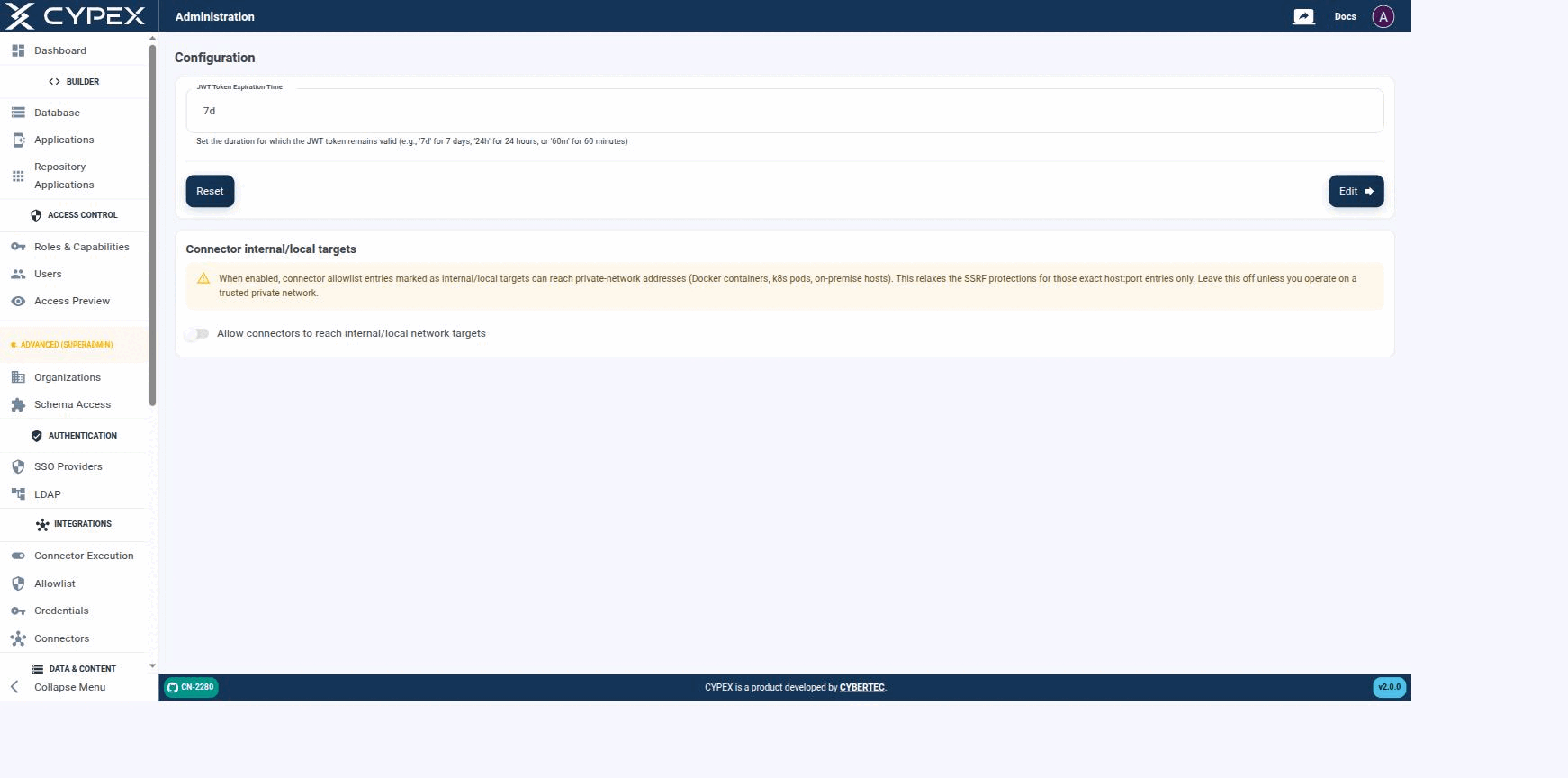
Configuration lives under Platform Admin and holds instance-level settings — these apply to the whole CYPEX deployment, not to a single organization:
Configuration
Session length and Connector internal/local targets are the two instance-wide settings exposed here.
Session length
Sets how long a session stays valid before the user must sign in again, using a duration string — 7d for 7 days, 24h for 24 hours, or 60m for 60 minutes. Click Edit to apply the value shown in the field, or Reset to restore the previous value. It writes cypex.t_config.jwt_exp.