This page lists the changes in CYPEX v2.0.0 that alter the default
behavior of the platform without breaking existing integrations. You
should be aware of these changes, but they typically do not require
action.
1. Default password policy now enforced
A new row is inserted into cypex.t_config with key password_policy and
value:
This screen is Builder → Database in the sidebar. The in-product Setup Guide refers to the same screen as Data Model, and older documentation calls it the model builder or ER editor. All four name the ER canvas documented here.
The next important feature of the admin panel is the ER editor. It allows you to check your ER model, define queries, handle workflows, and a lot more. It is the backbone to handle the data side of your database infrastructure:
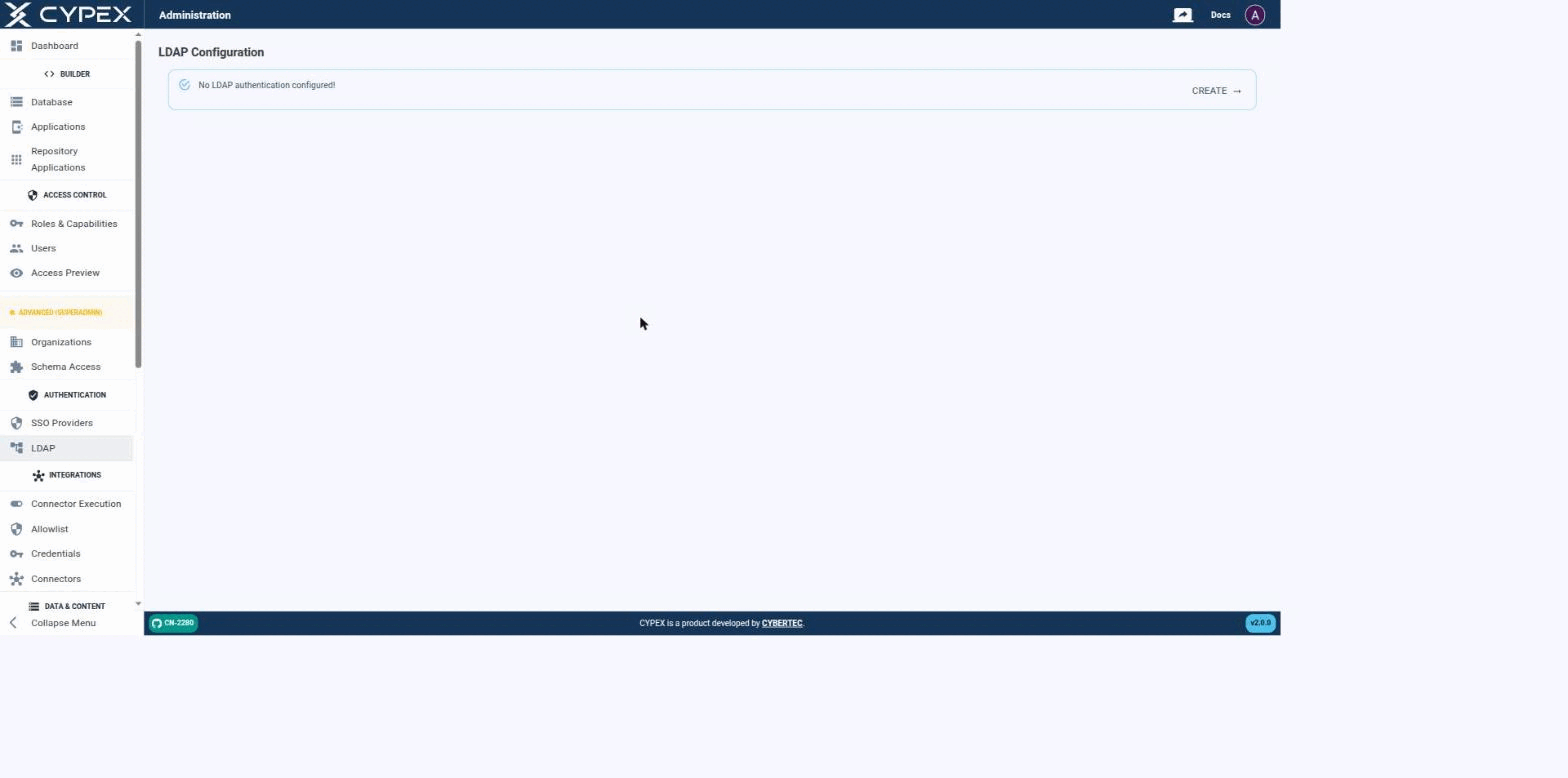
CYPEX authenticates users against an LDAP directory as an alternative to local (integrated) accounts — the same mechanism that backs Microsoft Active Directory, OpenLDAP, and any other LDAP v3 server. Before a connection is configured, the page simply confirms that no LDAP authentication is set up yet:
No LDAP authentication configured
Click CREATE to start the connection form.
Connecting to your directory
Fill out the connection settings to establish a connection between CYPEX and your directory:
An Organization sits at the centre of two independent mappings, not at the end
of a chain. One mapping says which roles belong to the organization; the
other says which schemas it may use. Both point at
cypex.t_organization, and neither knows about the other:
A user sees a row only when both mappings agree: their role is mapped to the
organization, and the schema holding the object is granted to that same
organization. Satisfying one without the other produces an empty result, not a
partial one.
In CYPEX, an Organization is the unit of multi-tenancy. Isolation is
enforced in PostgreSQL by Row-Level Security policies that read the request
JWT, not by filters in application code. Application traffic — the generated
UI, PostgREST API clients, and the backend’s end-user request path — is
subject to the same policies, so reaching the database through a different
client does not widen what a user can see.
Organizations are not an authorization system on their own. They add a
per-request data scope on top of the PostgreSQL role grants that decide
what a user may do.
This page lists the purely additive changes in CYPEX v2.0.0. These do
not modify the behavior of existing functionality — they add new tables,
functions, indexes, and roles that integrate with the Organizations model.
1. New tables
cypex.t_organization
The central tenant table. Created by the v2.0.0 upgrade with one row already
inserted: the Default Organization (organization_domain = 'default').
This page is the operational counterpart to the conceptual pages in the
Organizations section. It targets operators who run CYPEX, the PostgreSQL
Application Platform, in production and need to perform the four day-to-day
jobs: create, edit, and disable organizations; give users access to an
organization; configure org-scoped application visibility (Schema Access); and
troubleshoot misconfigurations.
For the why behind the model, see the conceptual pages linked below.
Concepts you need first
Read these four pages before walking through the procedures:
After running the client-assignment migration,
walk through the verification queries on this page. If verification
fails, follow the rollback procedure.
This page is for people who build and ship CYPEX applications. It covers what
changes about that job once a deployment has more than one Organization.
Organization scope on this page is enforced by CYPEX itself, not by the browser.
Hiding a row in the admin panel would be cosmetic; what is described below holds
even for a caller who manipulates the request directly.
Application visibility per organization
The Applications page does
not show every application in the deployment to every admin. A system admin can
pick any organization in the organization filter, or clear it to see everything.
An organization admin is always restricted to their own organization — changing
the filter in the browser does not widen what comes back.