CYPEX allows users to define ready-to-use PostgreSQL extensions. Those extensions can be integrated into existing applications to simplify the model creation process and to automate as many steps as possible.
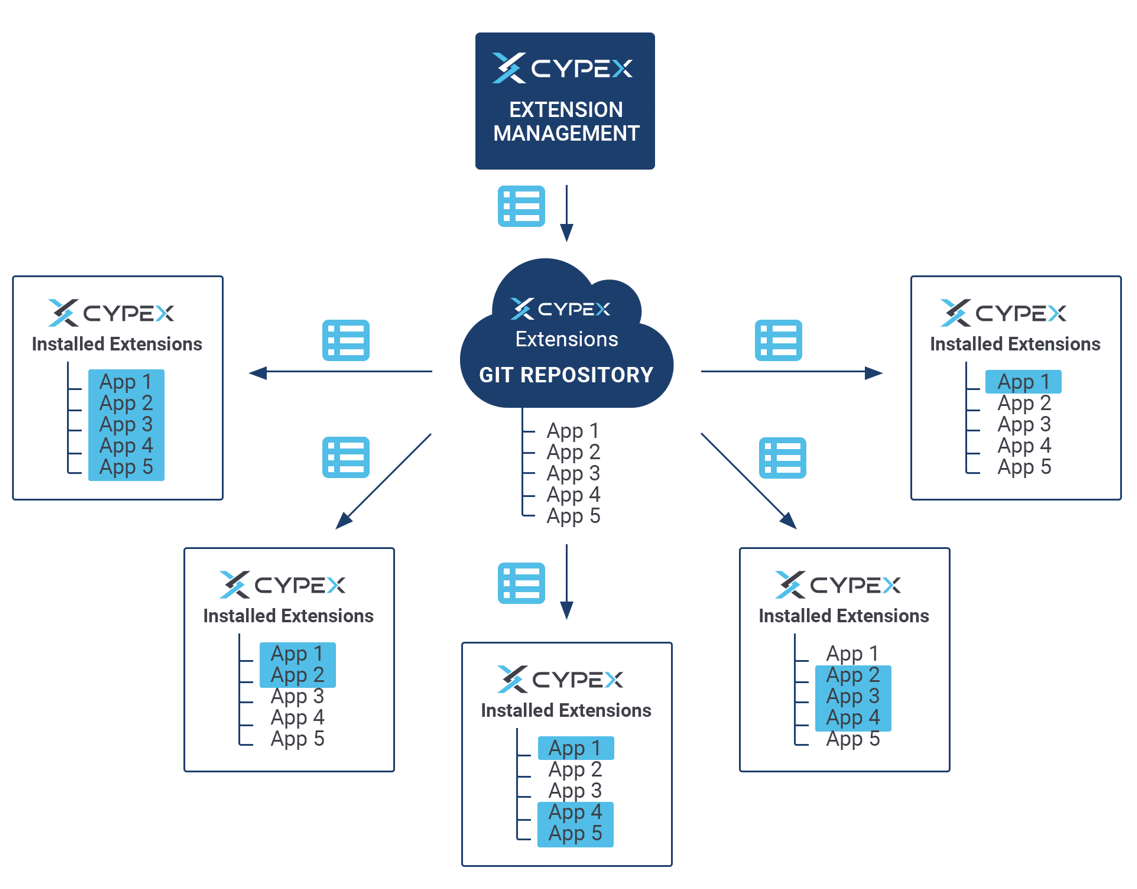
The way external extensions are supported is as follows:
CYPEX allows users to define a set of Git repositories which can be used to fetch extensions. It allows you to deploy everything from small SQL fragments and simple procedures all the way up to full-fledged complex data models.
CYBERTEC provides a set of extensions which can be used to simplify the process of building applications. In this section you’ll learn which extensions exist and what they are capable of doing.
Extension: telegram_posts
Purpose:
Store telegram posts
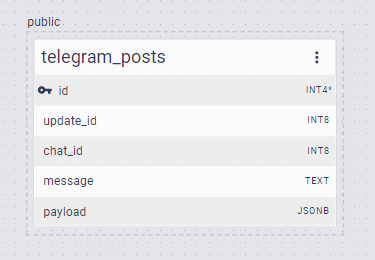
ER model:
Description:
The extension consists of just one table. The content of the message is stored in the “payload” column.
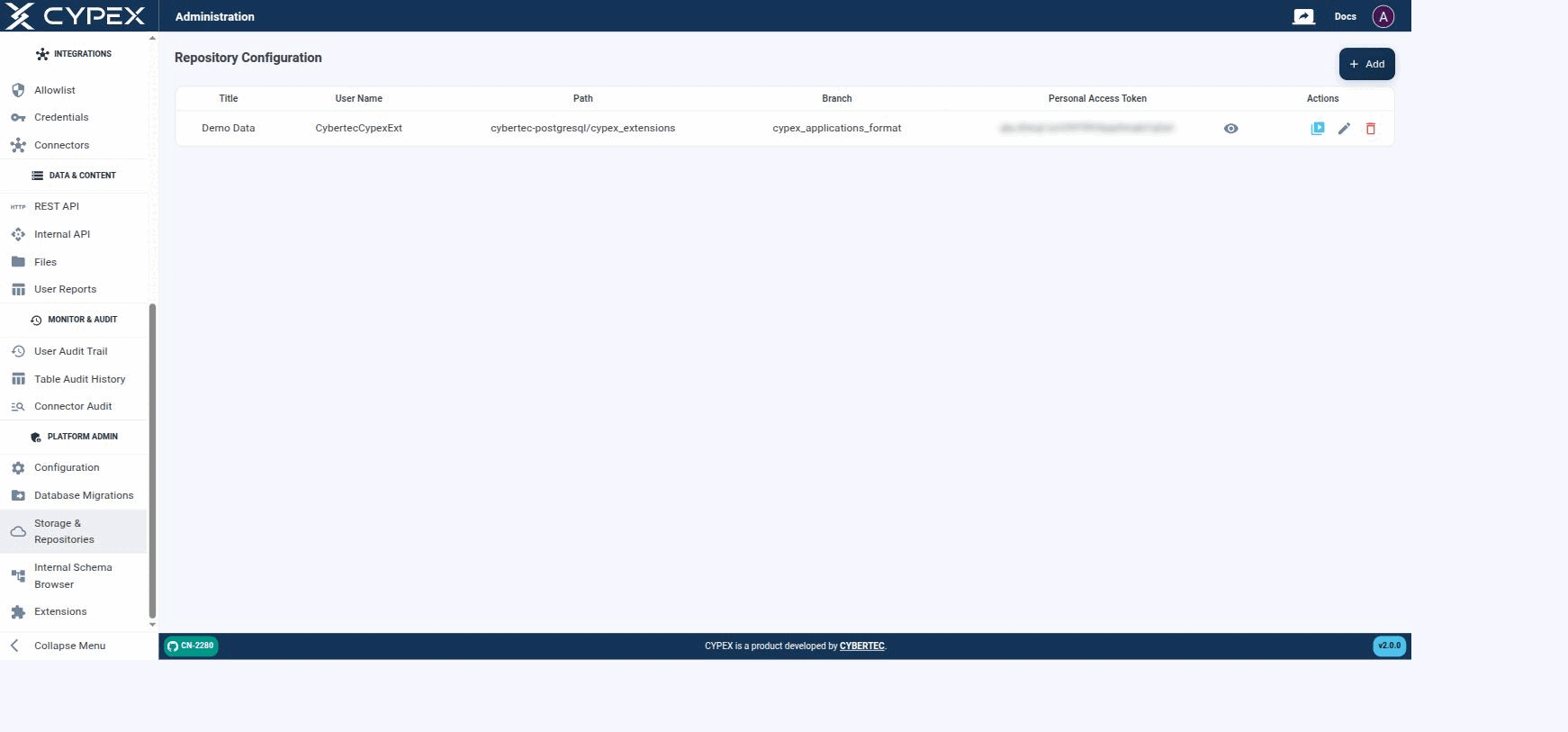
Under Platform Admin → Storage & Repositories, you define the Git repositories CYPEX uses to fetch extensions. Basically, you give CYPEX access to a Git repository which contains all of the extensions in a format accessible to CYPEX:
Repository Configuration
Configured repositories list their Title, User Name, Path, Branch, and a masked Personal Access Token. Actions let you test the connection, edit, or delete a repository.
The configuration is straightforward — add the Git data and test the connection. CYPEX is then fully connected and you can easily add extensions to the system as needed. Click + Add to open the form:
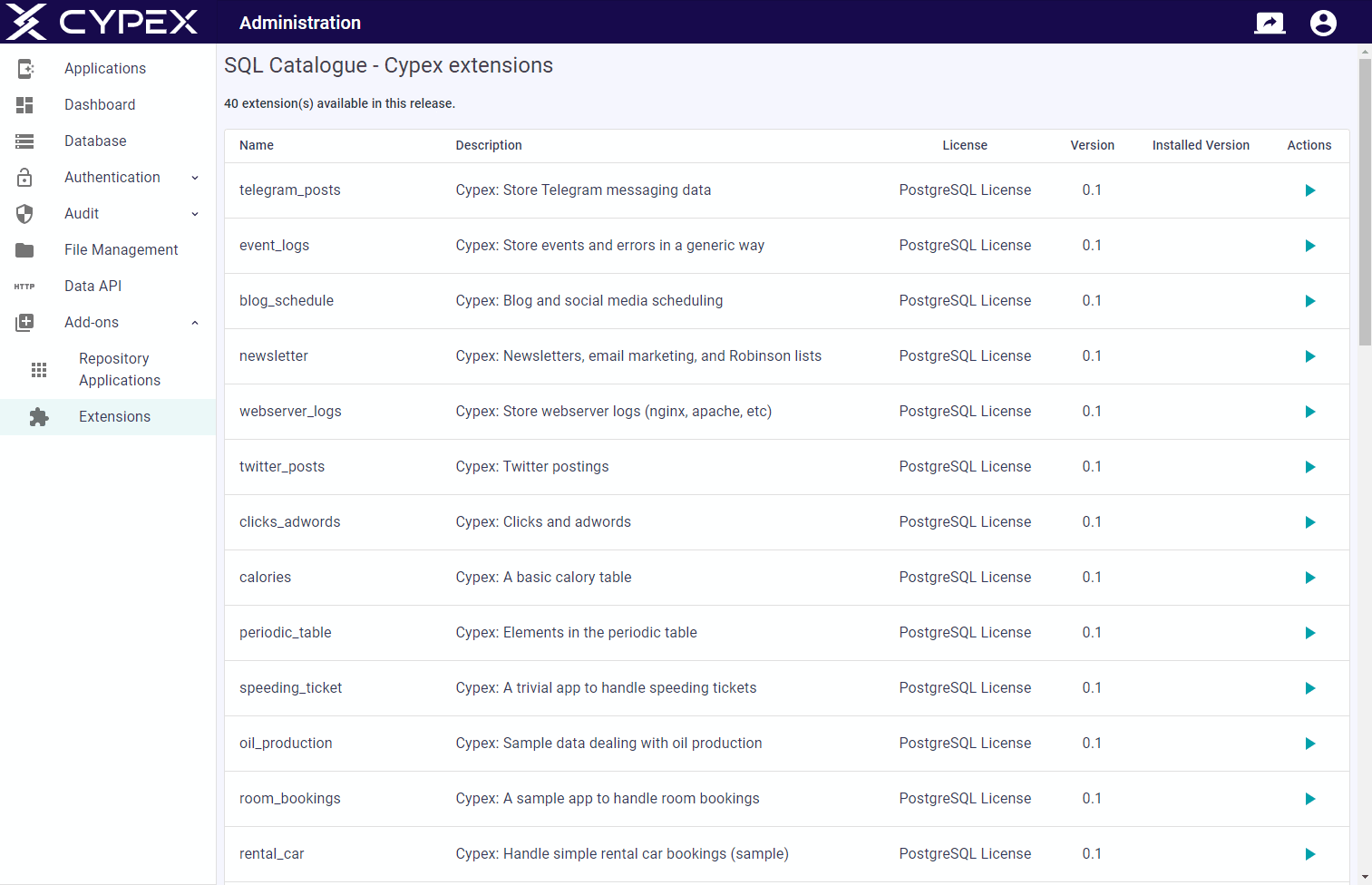
To install SQL fragments you can use the Extensions entry. Click the action button to easily deploy extensions.
There are countless extensions inside the default repository which can be used:
By default, the CYBERTEC repository for CYPEX is enabled. However, you can easily add more repositories as needed. For more information, see the section on Storage Repositories.