The CYPEX data API is an integral part of the system. Every query is automatically exposed as an API endpoint. The infrastructure honors access privileges and automatically keeps the API up to date.
The general purpose of the API is to allow users to build custom apps which are hard to create with the built-in WYSIWYG editor. In addition, it allows for easier integration with other infrastructure components. It is important to understand in this context that CYPEX is not “all or nothing” — it is perfectly feasible to use only the API.
The next big feature of CYPEX we want to focus on is the ability to upload files. Files are stored in the database. Storing files in the database has always been controversial. However, in this case it is done to ensure that all data including the application itself can be saved using standard PostgreSQL backups. There is no need to back up the database, the application, and those files separately — everything is in the same backup. In addition, files are handled in a transparent manner which brings countless advantages if you are dealing with workflows.
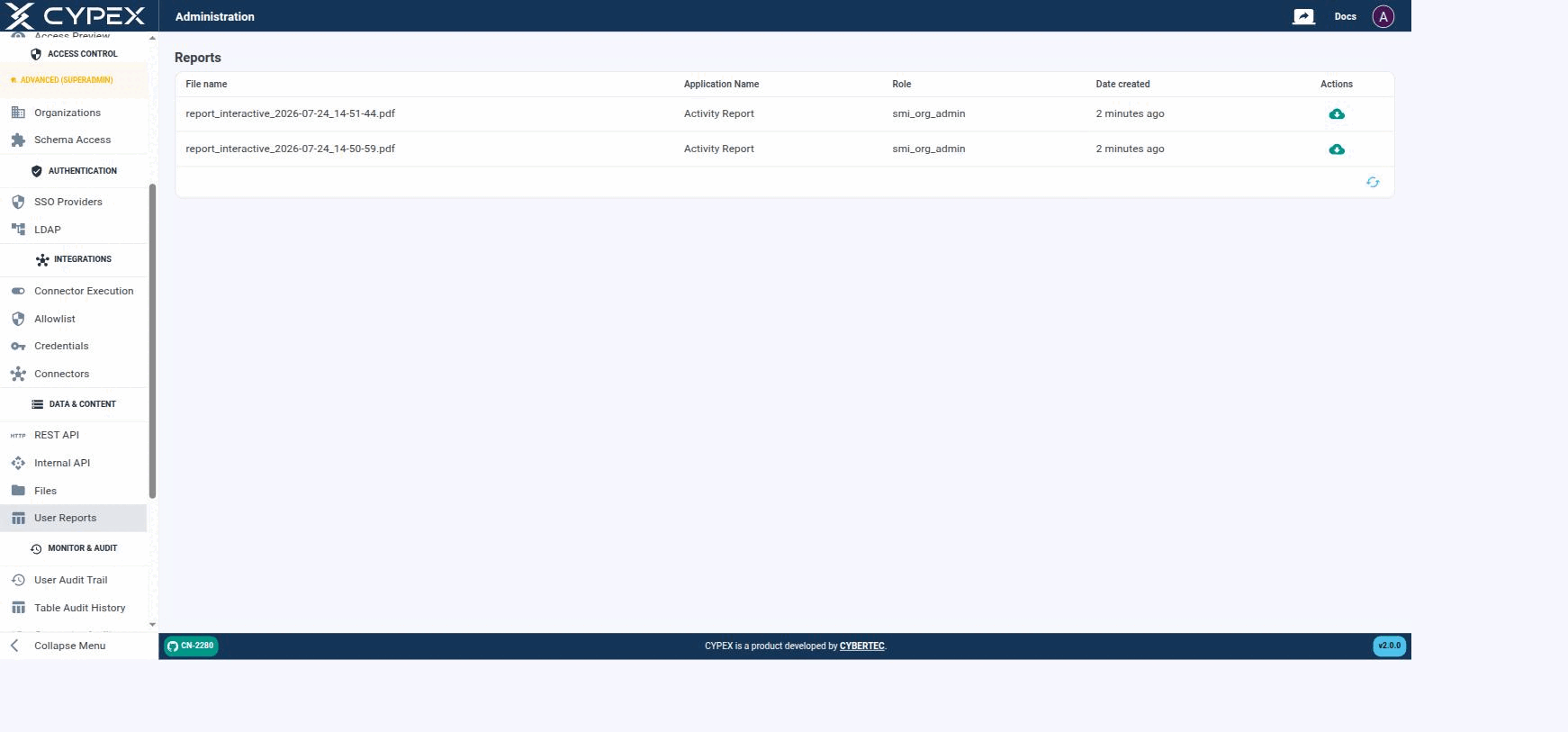
Under Data & Content → User Reports, the admin panel lists every PDF report generated by a CYPEX application — both interactive reports (rendered from a live page view) and static reports (LaTeX-based), as described in PDF Reports:
Reports
Each generated report shows its File name, the Application Name and Role that produced it, and when it was created. Click the download icon to retrieve the PDF.
Reports are stored in the database — like Files, this keeps them inside the same PostgreSQL backup as the rest of the application, with no separate file-storage backup to manage. The Role column reflects who generated the report, which is useful when auditing who requested what.