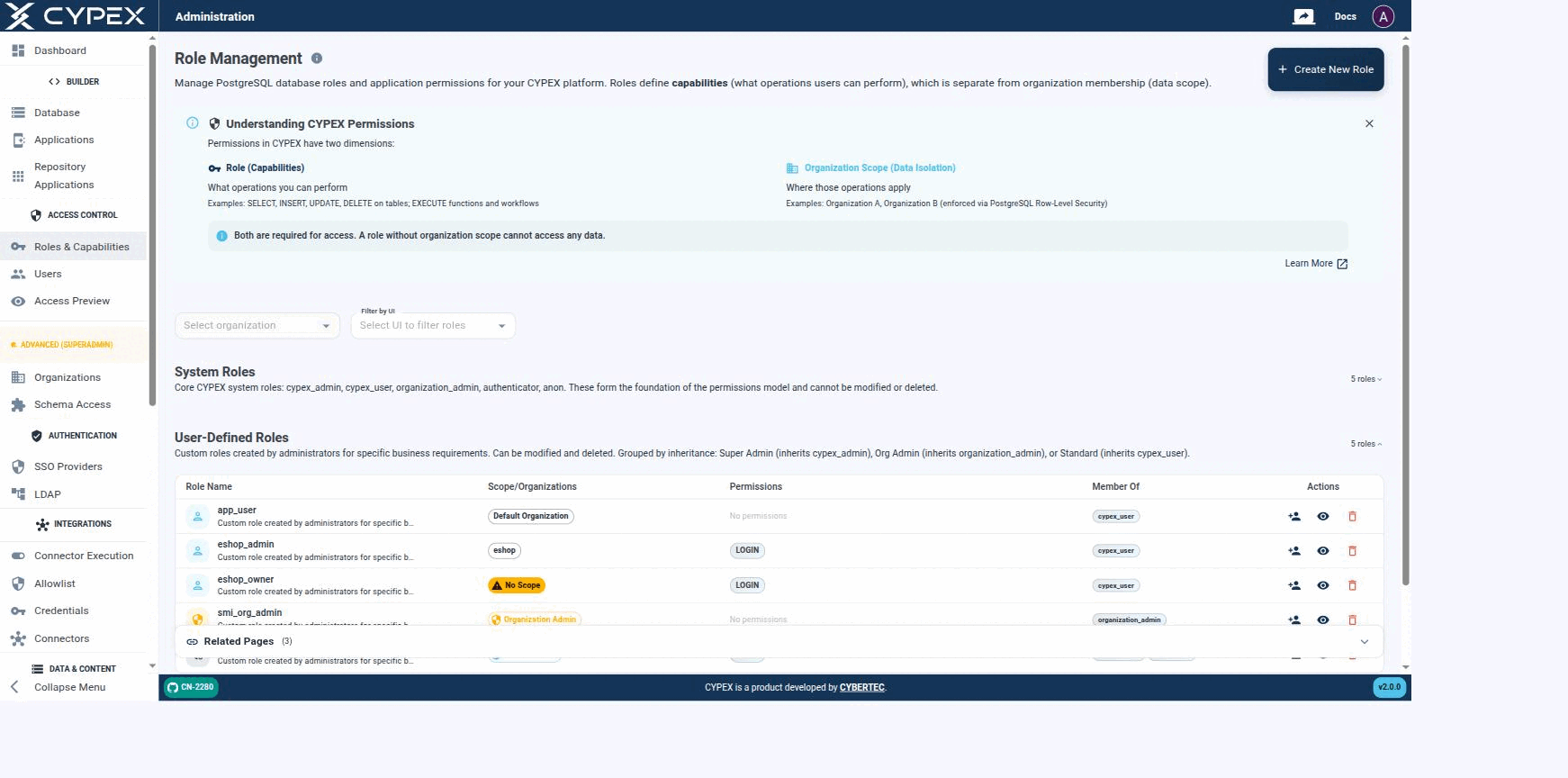
The CYPEX permission model is two-dimensional. A request succeeds only
when both dimensions allow it:
Capabilities — what the user is allowed to do. Defined by PostgreSQL
role grants on queries, functions, and tables.
Data Scope — which rows the user is allowed to act on. Defined by
Organization membership and enforced by Row-Level Security policies that
read the request JWT.
The two are deliberately independent. Granting a capability and assigning an
organization are separate operations, and neither implies the other.
The next important step is to define roles. Remember, roles are connected to CYPEX users and represent real database-side users. Role Management lets you manage PostgreSQL database roles and application permissions for your CYPEX platform:
Role Management
Roles define capabilities — what operations a user can perform — which is a separate concern from organization membership, the data scope those operations apply to.
Roles vs Organizations
Permissions in CYPEX have two independent dimensions, both required for access:
This page is the admin-panel walkthrough: where each dimension lives in the GUI, and how they combine at query time. For the full conceptual write-up (JWT claims, RLS SQL, the roleType API contract), see Capabilities vs Data Scope under Organizations.
The v2.0.0 access model has two independent dimensions. A request only returns rows when both agree:
Dimension
Question answered
Where it’s configured
Capabilities
What is this user allowed to do?
PostgreSQL role grants (SELECT/INSERT/UPDATE/DELETE, EXECUTE)
Data Scope
Which rows is this user allowed to act on?
Organization assignment + Row-Level Security
A role with broad capabilities but no organization mapped sees no tenant rows. A role mapped to an organization but with read-only capabilities sees all of that organization’s rows but can’t change them. Neither dimension substitutes for the other.