CYPEX allows superusers to make immediate changes. The edit-mode is only accessible to superusers.
However, in some cases you might want to change the application without actually using it immediately. To achieve live editing without harming productive users currently working with the application, you’ll need to use release management. Before we dig into that, it’s worth pointing out that CYPEX actually allows you to revert to a previous version of your application.
Export/Import packages CYPEX applications into portable ZIP archives for migration, backup, and deployment across instances. A package is the practical promote path: export from one environment, import into another, and get a working deployment that includes UI definitions, queries, workflows, functions, files, reports, users, roles, and optional audit logs — in structured JSON.
For governance and compliance reviews, pair packaging with the audit surfaces below: row history lives in cypex.t_history (History Tracking), table/login audit in the admin Audit section, and permission decisions in Governance evidence (cypex_log.t_permission_audit_log).
The CYPEX data API is an integral part of the system. Every query is automatically exposed as an API endpoint. The infrastructure honors access privileges and automatically keeps the API up to date.
The general purpose of the API is to allow users to build custom apps which are hard to create with the built-in WYSIWYG editor. In addition, it allows for easier integration with other infrastructure components. It is important to understand in this context that CYPEX is not “all or nothing” — it is perfectly feasible to use only the API.
CYPEX allows multiple developers to work on different applications for the same user Role to avoid conflicts in collaborative development. Since each application is tied to a specific role with access to particular database queries, developers can build separate applications independently.
The Merge Applications feature enables developers/administrators to combine multiple applications built for the same Role into a single, unified application. This process merges all app definitions and concatenates pages, reports, and menu items, ensuring that the final merged application includes all elements from the individual applications.
The next big feature of CYPEX we want to focus on is the ability to upload files. Files are stored in the database. Storing files in the database has always been controversial. However, in this case it is done to ensure that all data including the application itself can be saved using standard PostgreSQL backups. There is no need to back up the database, the application, and those files separately — everything is in the same backup. In addition, files are handled in a transparent manner which brings countless advantages if you are dealing with workflows.
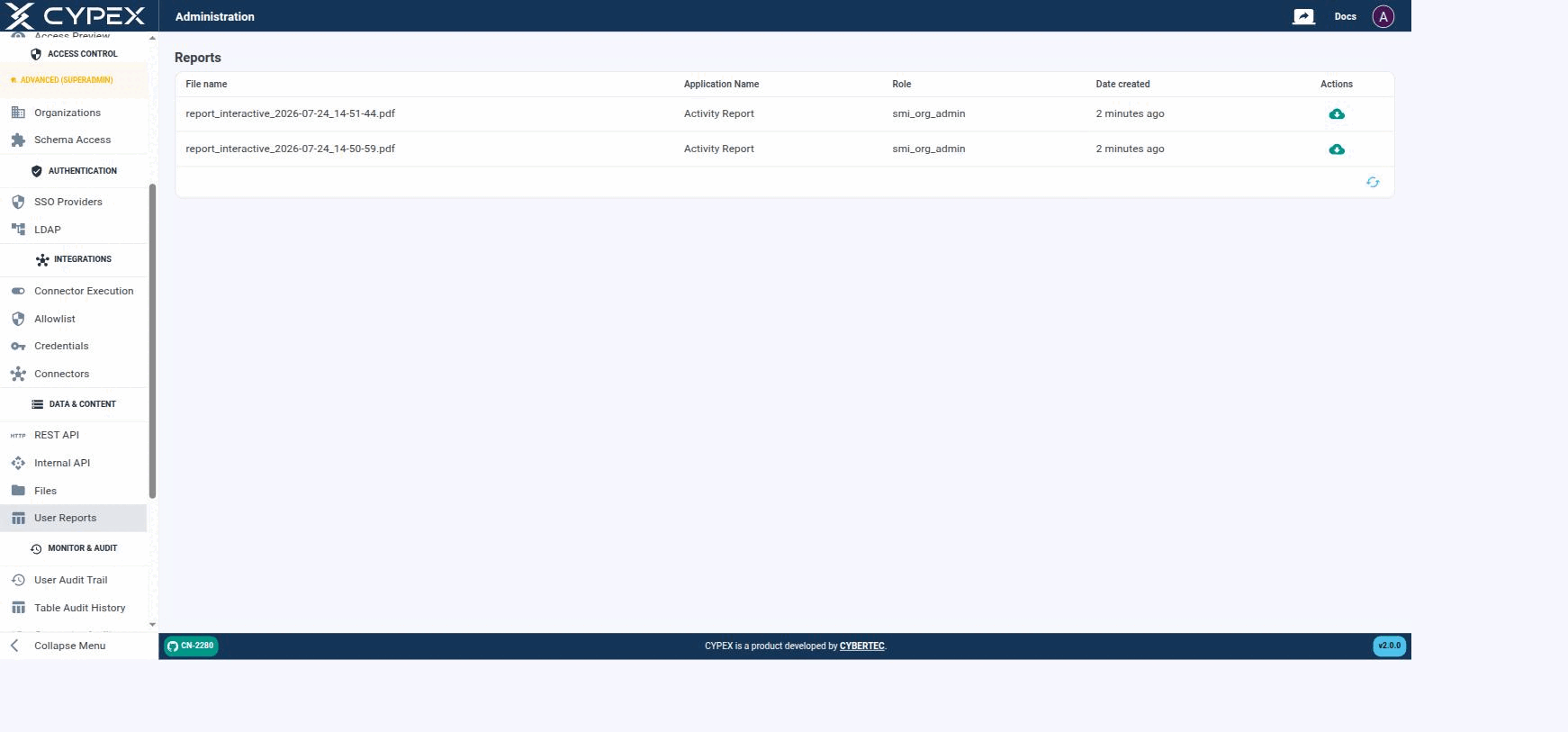
Under Data & Content → User Reports, the admin panel lists every PDF report generated by a CYPEX application — both interactive reports (rendered from a live page view) and static reports (LaTeX-based), as described in PDF Reports:
Reports
Each generated report shows its File name, the Application Name and Role that produced it, and when it was created. Click the download icon to retrieve the PDF.
Reports are stored in the database — like Files, this keeps them inside the same PostgreSQL backup as the rest of the application, with no separate file-storage backup to manage. The Role column reflects who generated the report, which is useful when auditing who requested what.
CYPEX allows users to audit tables and to keep track of login activity. Both live under Monitor & Audit in the admin panel, as two separate entries: Table Audit History and User Audit Trail.
For the enablement path and how row images land in cypex.t_history, start at History Tracking. Permission and organization decisions are a separate stream — see Governance evidence.
Table Audit History
When a table is audited (see Database — Auditing), its change history shows up here. Filter by schema and table using the dropdowns at the top right:
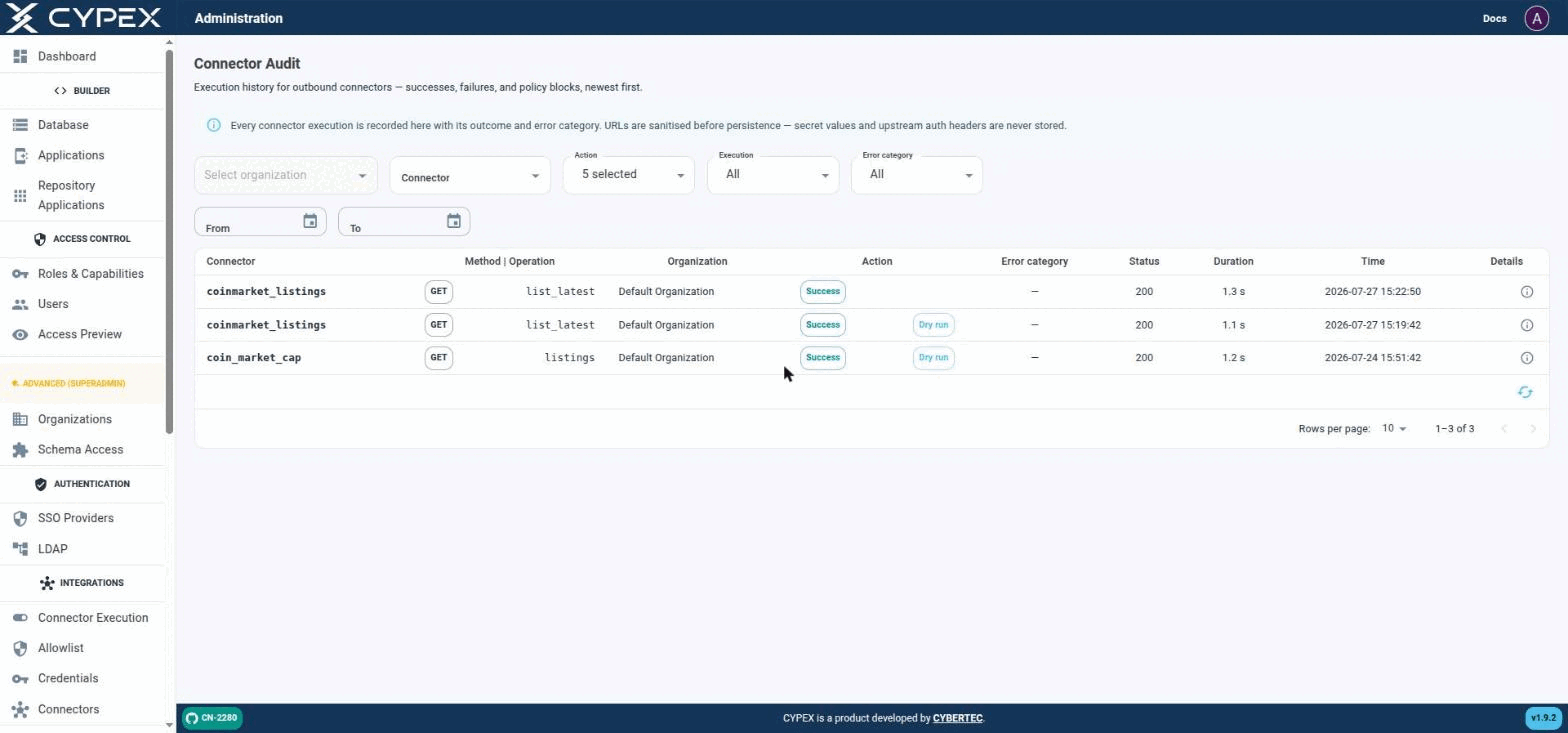
Under Monitor & Audit → Connector Audit, this page is the execution history for outbound connectors — successes, failures, and policy blocks, newest first:
Connector Audit
Live executions (no tag) sit alongside Dry run executions from the builder's Fetch sample / Test response mapping. Both are the same audit trail, distinguished only by the Dry run tag.
Filters
Organization — scope to one tenant.
Connector — scope to one connector definition.
Action — one or more of EXECUTE_STARTED, EXECUTE_SUCCESS, EXECUTE_FAILED, EXECUTE_BLOCKED, EXECUTE_RETRIED, EXECUTE_TIMEOUT.
Execution — All, Live, or Dry run. Dry run covers both the builder’s Fetch sample step and Test response mapping; Live covers real POST /connectors/:id/execute calls.
Error category — filters to one of the categories in Connectors — explicit security boundaries: configuration, schema_validation, policy_block, secret_unavailable, provider_error, timeout, internal.
From / To — date range.
Row details
Each row shows Connector, Method | Operation, Organization, Action (Success/Blocked/etc., plus a Dry run tag when applicable), Error category, Status (HTTP code), Duration, and Time. Click the Details icon for the full record:
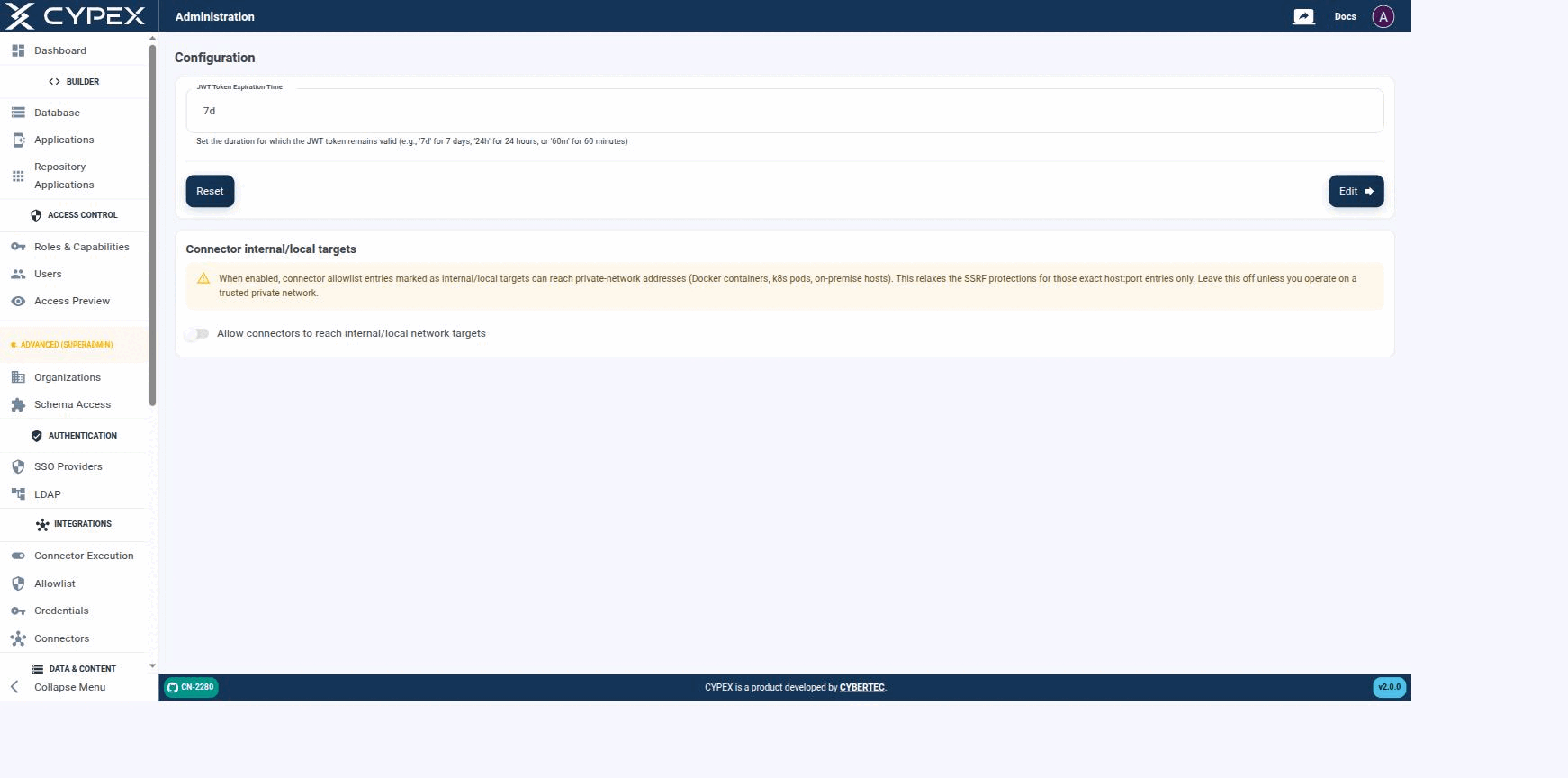
Configuration lives under Platform Admin and holds instance-level settings — these apply to the whole CYPEX deployment, not to a single organization:
Configuration
Session length and Connector internal/local targets are the two instance-wide settings exposed here.
Session length
Sets how long a session stays valid before the user must sign in again, using a duration string — 7d for 7 days, 24h for 24 hours, or 60m for 60 minutes. Click Edit to apply the value shown in the field, or Reset to restore the previous value. It writes cypex.t_config.jwt_exp.